How to Choose the Right Industrial PC for Your Business Needs?
When selecting the right Industrial PC for your business, it's crucial to understand your specific needs. According to John Smith, an expert in industrial computing, “The wrong choice in Industrial PCs can lead to inefficiencies and increased costs.” This insight emphasizes the importance of making an informed decision.
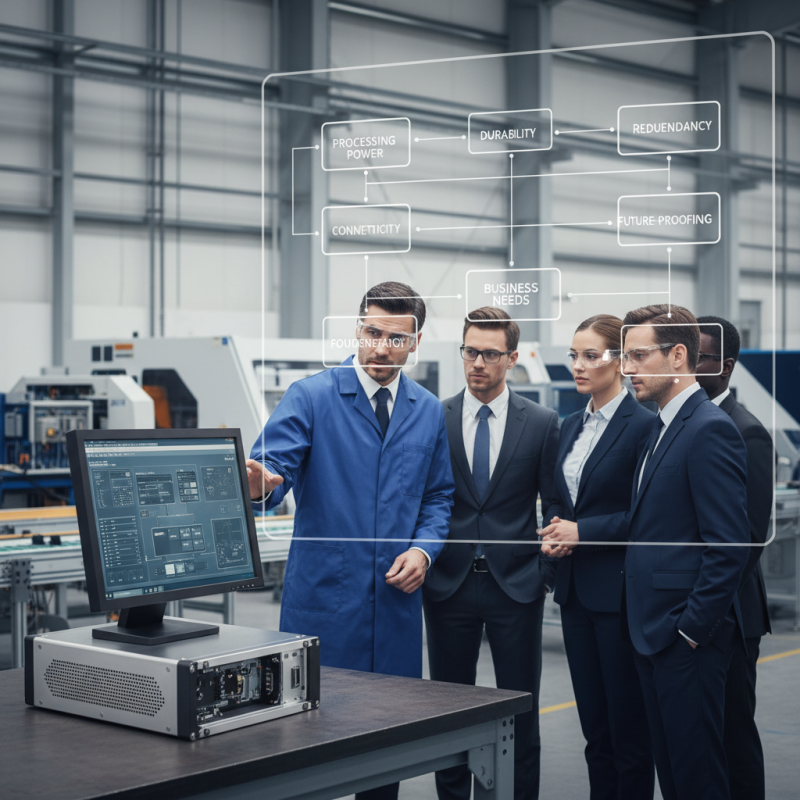
Industrial PCs are built to handle demanding environments. However, many businesses struggle to identify which features truly match their requirements. Factors such as processing power, durability, and connectivity options are essential. An efficient Industrial PC can streamline operations, but the wrong model can hinder productivity.
Potential buyers often overlook critical aspects. Power redundancy, for example, may seem excessive but ensures reliability. The right Industrial PC should evolve with your business. Assessing current needs while anticipating future demands is vital. Consider consulting with industry specialists to gain deeper insights into your options.
Understanding the Unique Requirements of Your Industry for IPCs
When selecting an industrial PC (IPC), it is crucial to understand the specific requirements of your industry. Different sectors demand unique features. For example, manufacturing might require ruggedness and reliability to withstand harsh environments. On the other hand, healthcare IPCs often need enhanced data security and compliance with regulations. This highlights the importance of tailoring your IPC choice to your business needs.
Considering environmental factors is essential. Does your facility deal with high dust levels or extreme temperatures? If yes, an IPC built for rugged conditions is imperative. Alternatively, industries like finance necessitate high processing power and data protection. Lack of attention to these details can lead to costly downtime or security breaches.
Assess your operational expectations as well. Evaluate how much processing power you genuinely need. This can help in making informed decisions without overspending. Gathering feedback from your team can uncover blind spots in your requirements. Overlooking user experience can diminish productivity. Balancing performance with usability is crucial for long-term success.
Industrial PC Selection Criteria Across Different Industries
Key Features to Look for in an Industrial PC
When selecting an industrial PC, it's crucial to consider the specific features that meet your operational needs. Durability is paramount. Industrial PCs should withstand harsh environments, including dust and temperature fluctuations. Look for models with ruggedized casings and solid-state drives, which offer better resistance to shocks and vibrations.
Performance is another key aspect. Assess processing power, memory, and storage capabilities. An adequate CPU and sufficient RAM ensure smooth operation, especially for real-time applications. Also, consider expansion options. An industrial PC should allow for future upgrades. This is vital as technology evolves. Connectivity options, like serial ports, USB, and Ethernet, are essential too, enabling seamless integration with existing systems.
Another aspect to ponder is energy efficiency. An industrial PC with a lower power consumption can reduce operational costs. However, be cautious – some models may sacrifice performance for energy savings. Review your system requirements carefully.
Lastly, technical support is an often-overlooked feature. Reliable customer service can save you time and money during critical downtime.
Evaluating Performance Specifications and Capabilities
When selecting an industrial PC, evaluating performance specifications is crucial. Look for a robust processor that can handle demanding tasks. A multi-core CPU offers better multitasking capabilities, but frequency matters too. Assess how the CPU's clock speed impacts tasks like data processing.
Memory is another key factor. Many industrial applications need at least 8GB of RAM, but depending on your needs, 16GB might be more suitable. More RAM ensures smooth operation, especially in demanding environments. Check whether the PC supports future upgrades. This flexibility can save costs later.
Storage options also require careful consideration. Solid-state drives (SSDs) provide faster data access compared to traditional hard drives. This speed can enhance workflow efficiency. However, SSDs may be more costly and have limited write cycles. Reflect on your storage requirements and how they align with your budget and performance goals. Balancing cost and performance is often tricky but necessary for successful operations.
Setting a Budget: Cost Considerations for Industrial PCs
When considering industrial PCs, setting a budget is crucial. Costs can vary based on performance, features, and durability. Understand your requirements before making a decision. High-performance models may seem appealing, but they also carry a higher price. Think about what your business truly needs.
Tips: Identify essential features. Focus on processing power, memory, and storage. Determine if rugged designs are necessary for your environment. You might not need the most expensive option. Balance functionality with cost.
Don’t forget about maintenance costs. Industrial PCs require ongoing updates and occasional repairs. These expenses can add up, so factor them into your budget. Sometimes, cheaper models can lead to higher long-term costs. A reliable, mid-range option might serve your business better than a high-end unit.
Think carefully about future needs. As your business grows, requirements may change. Invest in systems that offer scalability. This foresight can save money in the long run. An industrial PC is not just a purchase; it’s a long-term investment in your operations.
Future-Proofing Your Investment: Scalability and Upgradability
When selecting an industrial PC, thinking beyond the present moment is crucial. Scalability ensures that your system can grow along with your business. This means the ability to upgrade components, expand storage, and increase processing power without overhauling the entire system. A modular design often supports these upgrades, allowing you to swap out parts as needed.
Consider how quickly technology evolves. A reliable industrial PC should enable easy enhancements to keep pace with advancements. This may require assessing compatibility with new software or peripherals. Factor in an evolving workforce, as new employees may need tools that don’t require re-learning outdated interfaces.
Don't underestimate the importance of a solid investment. Future-proofing is not just about adding hardware; it's about flexibility. You might realize too late that a rigid system limits your options for growth. Always keep an eye on emerging technologies. Sometimes, spotting a trend early can save costs in the long run.